DatePicker
Single-date selection with an input, trigger, popover, and calendar grid.
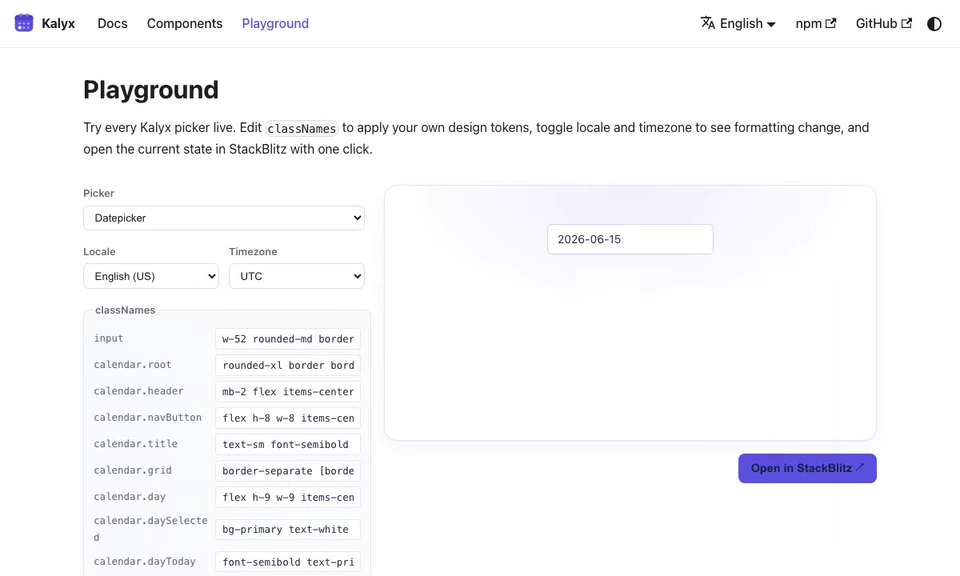
import { DatePicker } from '@kalyx/react';
Anatomy
Compose the parts you need. Every part below is optional except DatePicker (Root). Drop in only what your UI requires.
<DatePicker>            {/* Root: holds state, provides context */}
  <DatePicker.Input /> {/* combobox <input>, parses typed dates */}
  <DatePicker.Trigger /> {/* button that toggles the popover */}
  <DatePicker.Popover> {/* Floating-UI portal, role="dialog" */}
    <DatePicker.Presets> {/* role="group" of quick-select buttons */}
      <DatePicker.Preset value="today">Today</DatePicker.Preset> {/* one quick-select toggle */}
    </DatePicker.Presets>
    <DatePicker.Calendar /> {/* month grid, role="grid" */}
    <DatePicker.MonthGrid /> {/* 3×4 month jump grid (optional view) */}
    <DatePicker.YearGrid /> {/* paginated year grid (optional view) */}
  </DatePicker.Popover>
</DatePicker>
Calendar, MonthGrid, and YearGrid are alternative views of the same popover. Swap between them with onTitleClick (see Month / Year navigation).
Basic usage
import { useState } from 'react';
import { DatePicker, type ISODateString } from '@kalyx/react';

function Example() {
  const [date, setDate] = useState<ISODateString | null>(null);
  return (
    <DatePicker value={date} onChange={setDate}>
      <DatePicker.Input placeholder="YYYY-MM-DD" />
      <DatePicker.Trigger />
      <DatePicker.Popover>
        <DatePicker.Calendar />
      </DatePicker.Popover>
    </DatePicker>
  );
}
Try it live
The live editor runs with
Reactand all Kalyx components in scope, soimportlines are omitted. Copy them in when porting to your project; see the full imports in the non-live blocks above.
function BasicDatePicker() {
  const [date, setDate] = React.useState(null);
  const [view, setView] = React.useState('days');
  const headerCls = {
    header: 'kx-live-header',
    title: 'kx-live-title',
    navButton: 'kx-live-nav',
  };
  return (
    <DatePicker value={date} onChange={setDate}>
      <div className="kx-live-row">
        <DatePicker.Input className="kx-live-input" placeholder="YYYY-MM-DD" />
        <DatePicker.Trigger className="kx-live-trigger" aria-label="Open calendar" />
      </div>
      <DatePicker.Popover className="kx-live-popover">
        {view === 'days' && (
          <DatePicker.Calendar
            onTitleClick={() => setView('months')}
            classNames={{
              ...headerCls,
              grid: 'kx-live-grid',
              gridCell: 'kx-live-cell',
              weekdayHeader: 'kx-live-weekday',
              day: 'live-day',
              daySelected: 'live-day-selected',
              dayToday: 'live-day-today',
              dayDisabled: 'kx-live-disabled',
              dayOutsideMonth: 'kx-live-outside',
            }}
          />
        )}
        {view === 'months' && (
          <DatePicker.MonthGrid
            onSelect={() => setView('days')}
            onTitleClick={() => setView('years')}
            classNames={{
              ...headerCls,
              grid: 'kx-live-month-grid',
              month: 'kx-live-my-cell',
              monthSelected: 'kx-live-my-selected',
              monthCurrent: 'kx-live-my-current',
            }}
          />
        )}
        {view === 'years' && (
          <DatePicker.YearGrid
            onSelect={() => setView('months')}
            classNames={{
              ...headerCls,
              grid: 'kx-live-year-grid',
              year: 'kx-live-my-cell',
              yearSelected: 'kx-live-my-selected',
              yearCurrent: 'kx-live-my-current',
            }}
          />
        )}
      </DatePicker.Popover>
      <div className="kx-live-value">
        Selected: <code>{date ?? 'null'}</code>. Click the month title to jump to Month / Year view.
      </div>
    </DatePicker>
  );
}
<DatePicker> (Root)
Holds state and provides context to sub-components. Controlled when value is provided; uncontrolled when only defaultValue is.
| Prop | Type | Default | Description |
|---|---|---|---|
value | ISODateString | null | - | Controlled selected date. |
defaultValue | ISODateString | - | Uncontrolled initial value. Ignored if value is set. |
onChange | (value: ISODateString | null) => void | - | Fires when a date is selected or cleared. |
disabled | DisabledRule[] | boolean | false | Disable specific dates, or disable the whole picker. |
readOnly | boolean | false | Prevents changes; still selectable visually for form display. |
weekStartsOn | 0 | 1 | inferred from locale | 0 = Sunday, 1 = Monday. When omitted it is inferred from locale (en-US → 0, de-DE → 1); an explicit prop always wins. |
displayFormat | string | 'yyyy-MM-dd' | date-fns format string. |
locale | string | 'en-US' | BCP 47 locale tag. |
dir | 'ltr' | 'rtl' | 'ltr' | Layout direction. In 'rtl' the calendar grid carries dir="rtl" and ArrowLeft/ArrowRight are mirrored to follow the visual layout (WAI-ARIA grid pattern); ArrowUp/Down, PageUp/Down, and Home/End keep their logical direction. See Internationalization. |
displayTimezone | string | - | IANA zone (e.g., "Asia/Seoul"). When set, Input formats in this zone, Calendar highlights match civil days, and onChange emits civil midnight in this zone. See Timezone. |
adapter | DateAdapter | DateFnsAdapter | Custom date adapter. |
labels | Partial<DatePickerLabels> | - | Override ARIA labels (defaults to English). Keys: triggerOpen, triggerClose, popoverLabel, prevMonth, nextMonth, prevYear, nextYear, prevDecade, nextDecade. |
children | ReactNode | - | Sub-components. |
DisabledRule
type DisabledRule =
  | { date: ISODateString }        // exact day
  | { before: ISODateString }       // any day strictly before
  | { after: ISODateString }        // any day strictly after
  | { dayOfWeek: number[] };        // 0 = Sun … 6 = Sat
Disable all weekends and any date before today:
<DatePicker
  value={iso}
  onChange={setIso}
  disabled={[{ dayOfWeek: [0, 6] }, { before: new Date().toISOString() }]}>
  <DatePicker.Input />
  <DatePicker.Popover>
    <DatePicker.Calendar />
  </DatePicker.Popover>
</DatePicker>
function WeekdayOnly() {
  const [date, setDate] = React.useState(null);
  const today = new Date().toISOString();
  return (
    <DatePicker
      value={date}
      onChange={setDate}
      disabled={[{ dayOfWeek: [0, 6] }, { before: today }]}
    >
      <DatePicker.Input className="kx-live-input" placeholder="Weekdays only, from today" />
      <DatePicker.Popover className="kx-live-popover">
        <DatePicker.Calendar
          classNames={{
            header: 'kx-live-header',
            title: 'kx-live-title',
            navButton: 'kx-live-nav',
            grid: 'kx-live-grid',
            gridCell: 'kx-live-cell',
            weekdayHeader: 'kx-live-weekday',
            day: 'live-day',
            daySelected: 'live-day-selected',
            dayToday: 'live-day-today',
            dayDisabled: 'kx-live-disabled',
            dayOutsideMonth: 'kx-live-outside',
          }}
        />
      </DatePicker.Popover>
    </DatePicker>
  );
}
<DatePicker.Input>
Renders an <input role="combobox">. Parses typed dates on blur / Enter. Extends all standard input attributes (except value, onChange, type).
| Prop | Type | Description |
|---|---|---|
format | string | Overrides the Root's displayFormat for parsing / display. |
Supports ref forwarding to the underlying <input>.
<DatePicker.Trigger>
A button that toggles the popover. Renders a default calendar icon if no children are provided. Extends all standard button attributes (except type).
| Prop | Type | Description |
|---|---|---|
children | ReactNode | Override the default icon. |
<DatePicker.Trigger aria-label="Open calendar">
  📅
</DatePicker.Trigger>
<DatePicker.Popover>
Floating-UI-positioned portal (role="dialog", aria-modal="false"). Handles outside-click dismissal, Escape-to-close, and focus restoration.
Extends standard <div> attributes (except role).
<DatePicker.Popover className="rounded-lg border bg-white p-3 shadow-lg">
  <DatePicker.Calendar />
</DatePicker.Popover>
<DatePicker.Calendar>
Renders the month grid. Fully keyboard navigable (see Accessibility).
| Prop | Type | Description |
|---|---|---|
classNames | DatePickerCalendarClassNames | Styling for internal slots. |
onTitleClick | () => void | Fires when the month/year title is clicked. Wire to MonthGrid / YearGrid. |
fixedWeeks | boolean (default false) | Always render 6 week rows. Without it the grid is 4-6 rows, so the popover changes height from month to month. |
showWeekNumber | boolean (default false) | Render an ISO 8601 week-number column (1-53) on the left of the grid. The column is a <th scope="row"> outside the WAI-ARIA grid data region, so keyboard navigation across date cells is unaffected. Style it with the weekNumberHeader / weekNumber classNames keys. |
classNames keys
type DatePickerCalendarClassNames = {
  root?: string;
  header?: string;         // wraps title + nav buttons
  title?: string;          // "April 2026"
  navButton?: string;      // prev / next buttons
  grid?: string;           // <table role="grid">
  gridRow?: string;        // <tr>
  gridCell?: string;       // <td role="gridcell">
  day?: string;            // each day button
  daySelected?: string;    // applied when day.isSelected
  dayToday?: string;       // applied when day.isToday
  dayDisabled?: string;    // applied when day.isDisabled
  dayOutsideMonth?: string;// days padding the 6-week view
  weekdayHeader?: string;  // "Mon", "Tue", …
};
data-* attributes
Each day button emits state attributes you can style by (e.g. data-[selected]: in Tailwind, or [data-selected] in CSS). They appear only when active. See Styling for the full contract.
| Attribute | Active when |
|---|---|
data-selected | Day is the selected date. |
data-today | Day is today. |
data-focused | Day holds keyboard focus. |
data-outside-month | Day belongs to an adjacent month. |
Disabled days use the native disabled + aria-disabled attributes (style with :disabled or the dayDisabled slot).
<DatePicker.MonthGrid> (optional)
A 3×4 grid of months. Drop in to let users jump directly to a month.
| Prop | Type | Description |
|---|---|---|
classNames | DatePickerMonthGridClassNames | Styling. |
onSelect | () => void | Fired after picking a month; typically switches back to Calendar. |
onTitleClick | () => void | Fired when the year title is clicked. Wire to YearGrid. |
type DatePickerMonthGridClassNames = {
  root?: string;
  header?: string;
  title?: string;
  navButton?: string;
  grid?: string;
  month?: string;
  monthSelected?: string;
  monthCurrent?: string;
};
Each month button emits data-selected (selected month), data-current (current month), and data-focused (keyboard focus). See Styling.
<DatePicker.YearGrid> (optional)
A paginated grid of years (12 per page).
| Prop | Type | Description |
|---|---|---|
classNames | DatePickerYearGridClassNames | Styling. |
onSelect | () => void | Fired after picking a year. |
type DatePickerYearGridClassNames = {
  root?: string;
  header?: string;
  title?: string;
  navButton?: string;
  grid?: string;
  year?: string;
  yearSelected?: string;
  yearCurrent?: string;
};
Each year button emits data-selected, data-current, and data-focused, the same contract as MonthGrid.
<DatePicker.Presets> / <DatePicker.Preset> (optional)
Quick-select buttons for common dates. <DatePicker.Presets> is a role="group" container; each <DatePicker.Preset> is a regular toggle button (using aria-pressed) that commits and closes the popover on click.
<DatePicker value={date} onChange={setDate}>
  <DatePicker.Input />
  <DatePicker.Popover>
    <DatePicker.Presets>
      <DatePicker.Preset value="today">Today</DatePicker.Preset>
      <DatePicker.Preset value="tomorrow">Tomorrow</DatePicker.Preset>
      <DatePicker.Preset value="startOfMonth">Start of month</DatePicker.Preset>
      <DatePicker.Preset date="2026-12-25T00:00:00.000Z">Christmas</DatePicker.Preset>
    </DatePicker.Presets>
    <DatePicker.Calendar />
  </DatePicker.Popover>
</DatePicker>
Preset keys: today, tomorrow, yesterday, startOfMonth, endOfMonth, startOfYear. Or pass a concrete date (ISO 8601 UTC) for anything else. Active presets get aria-pressed="true" and data-active when the resolved date matches the current value (timezone-aware via displayTimezone).
Event callbacks
All DatePicker.Root callbacks are optional. Neither of the two newer ones fires on initial mount.
| Prop | Signature | Fires when |
|---|---|---|
onChange | (value: ISODateString | null) => void | A date is committed (click / Enter / preset / input typed). |
onOpenChange | (isOpen: boolean) => void | The popover opens or closes (any reason: click, keyboard, outside click, selection). |
onCalendarNavigate | (viewMonth: ISODateString) => void | The calendar view moves to a different month. Emits the first day of the newly-visible month in UTC. |
<DatePicker
  value={date}
  onChange={setDate}
  onOpenChange={(open) => console.log('picker_toggle', open)}
  onCalendarNavigate={(month) => console.log('navigated to', month)}
>
  <DatePicker.Input />
  <DatePicker.Popover>
    <DatePicker.Calendar />
  </DatePicker.Popover>
</DatePicker>
Patterns
Month / Year navigation
import { useState } from 'react';
import { DatePicker } from '@kalyx/react';

function WithJump() {
  const [view, setView] = useState<'days' | 'months' | 'years'>('days');
  return (
    <DatePicker value={iso} onChange={setIso}>
      <DatePicker.Input />
      <DatePicker.Popover>
        {view === 'days' && (
          <DatePicker.Calendar onTitleClick={() => setView('months')} />
        )}
        {view === 'months' && (
          <DatePicker.MonthGrid
            onSelect={() => setView('days')}
            onTitleClick={() => setView('years')}
          />
        )}
        {view === 'years' && (
          <DatePicker.YearGrid onSelect={() => setView('months')} />
        )}
      </DatePicker.Popover>
    </DatePicker>
  );
}
The “Try it live” example at the top of this page already wires this flow: tap the month title to open MonthGrid, tap the year to open YearGrid.
Uncontrolled with form submission
<form action="/api/save" method="post">
  <DatePicker defaultValue="2026-04-15T00:00:00.000Z">
    <DatePicker.Input name="startDate" />
    <DatePicker.Popover>
      <DatePicker.Calendar />
    </DatePicker.Popover>
  </DatePicker>
  <button type="submit">Save</button>
</form>
Min / max dates
There's no minDate / maxDate prop. Express the same rule with disabled:
<DatePicker
  disabled={[
    { before: '2026-01-01T00:00:00.000Z' },
    { after: '2026-12-31T00:00:00.000Z' },
  ]}
  value={iso}
  onChange={setIso}>
  <DatePicker.Input />
  <DatePicker.Popover>
    <DatePicker.Calendar />
  </DatePicker.Popover>
</DatePicker>
:::caution Pair disabled boundaries with displayTimezone
disabled rules compare against instants, not calendar-page coordinates. Without displayTimezone the two are the same thing and the example above is exact.
Once you set displayTimezone, a hand-written '2026-01-01T00:00:00.000Z' is no longer civil January 1 in your zone. Under a negative UTC offset it is still December 31 locally, and under a large positive offset it is already January 1 well before local midnight. The boundary day can then land on the wrong side of the rule.
Pass the same kind of value the picker itself emits: the instant you receive from onChange, or one built with civilMidnightFromUtcDay:
import { civilMidnightFromUtcDay } from '@kalyx/core';

const tz = 'Asia/Seoul';

<DatePicker
  displayTimezone={tz}
  disabled={[{ before: civilMidnightFromUtcDay('2026-01-01T00:00:00.000Z', tz) }]}
  value={iso}
  onChange={setIso}>
  <DatePicker.Input />
  <DatePicker.Popover>
    <DatePicker.Calendar />
  </DatePicker.Popover>
</DatePicker>
The same rule applies when calling isDateDisabled yourself. For per-cell state inside a custom grid, prefer the precomputed isDisabled flag from getCalendarDays; it already normalizes each cell.
:::